Pose
Perfect.
Every Shot.
PosePal overlays a reference pose on your live camera, scores your alignment 0–100% in real time, and auto-captures when you match. Fully offline. 260 curated poses.
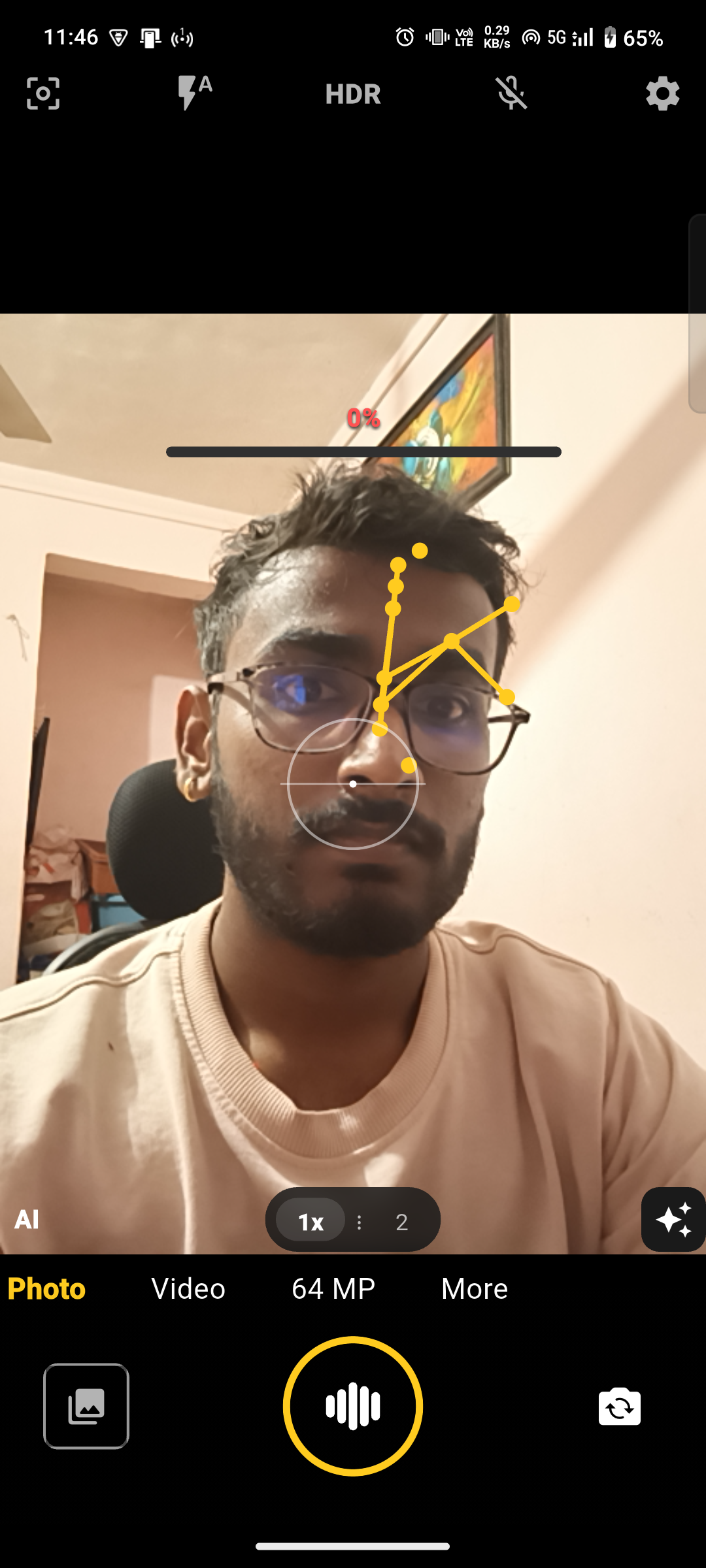
Measured on a mid-range 5G Android handset • 150ms pose • 200ms seg • parallax on move
Interactive — Try it
Drag the ghost.
Watch the score.
This is the real comparator — 33 landmarks, weighted upper-body, silhouette blend. Drag the teal ghost to align with the dim live skeleton. Green = aligned. Hold 85% and it would auto-fire. Use arrow keys, +/- to scale, R to reset.
01 — Features
The measuring layer
around the ghost.
A ghost outline tells you roughly where to stand. PosePal tells you how close you are: a live score, a full skeleton, per-joint colour, arrows, optional voice cues, and a shutter that fires itself once you hold the match.
Live 33-point detection — accurate, not lite
ML Kit PoseDetector in accurate mode. Confidence-filtered (≥0.5), One-Euro smoothed, adaptive throttle 150→500 ms via EMA latency + busy ratio. Pure-Dart headless tests for every engine.
Real-time 0–100% score
Per-landmark green / amber / red. Body-part chips. 85% = green, 60% = amber. Weighted upper-body, silhouette blend 30%. One number tells you when you're there.
Directional arrows + optional voice
15° angular threshold. Up to 5 corrections, deduped, TTS throttled to 3s. “Lift left elbow 12°” — not “adjust pose”. Arrows are on by default; the voice coach ships off so nothing plays unexpectedly on first launch — switch it on in Settings.
Auto-capture burst
Hold ≥ threshold 1.5s → Countdown 3-2-1 → 3-frame burst (200ms). Laplacian + pose composite picks the sharpest, best-scored frame. Single-tap also works.
Stylized silhouettes
Every pose has a studio PNG — outer outline + inner folds + skeleton. Drag, pinch, twist freely; double-tap to reset. Missing asset → contour fallback. The overlay ships off by default; enable the ghost in Settings.
Scene-aware ghost — YOLOv8n + Hough + MobileNet in a worker isolate
Ghost auto-morphs onto your body or snaps to floor / wall / table anchors. “Matches your scene” strip re-ranks every 2 s.
02 — How it works
Pick. Align. Score. Shot.
Four steps. No learning curve. The same pipeline runs on stills in the Image Test Lab before you go live.
Pick a pose
Browse 260 poses by location, difficulty, lens. Tap a card — ghost loads. Scene strip suggests what fits your room.
Align to ghost
Ghost contour letterboxes to your sensor. Drag / pinch / twist if you want it somewhere else.
Chase 85%
Gauge climbs. Limbs go green. Arrows nudge you. Voice says the next fix. Hold it 1.5 s.
Countdown → Burst
3-2-1, flash, 3 frames at 200 ms. Sharpest + best-scored is saved. No shutter press needed.
03 — Pose browser
260 poses. 8 locations.
One ghost for each.
Every pose ships with a bundled photo, 14–33 stored landmarks (mean 29), a 241–400 pt silhouette contour, scene/support metadata, and a stylized PNG ghost. Filters are instant (fade, not jump). Favorites sync to prefs. Lens flips clear mismatched poses.

Back Female Beach 001
Back • Beach • Portrait
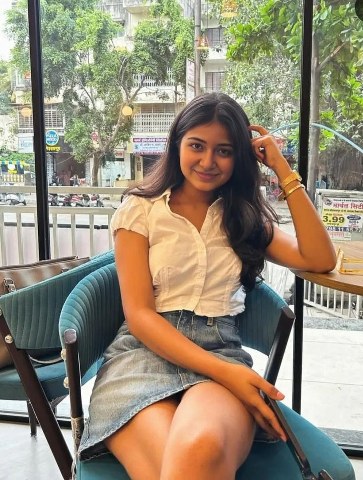
Back Female Cafe 001
Back • Café • Portrait
Back Female City 001
Back • City • Portrait
Back Female Lake 001
Back • Lake • Portrait
04 — Scene aware
Ghost that knows
your room.
Cheap luma → palette + lighting + indoor likelihood. YOLOv8n (full COCO) every 2s. Hough floor/wall lines. Every 2s the recommender re-ranks all 260 against 7 signals and shows the top 3 “matches your scene”.
- Contour morph — EMA 0.3 onto your body bbox when visible
- Anchor morph — snaps to floor / wall / table when not
- PlacementNet — learned full transform, EMA-smoothed
- Manual freeze — drag/pinch survives until double-tap reset
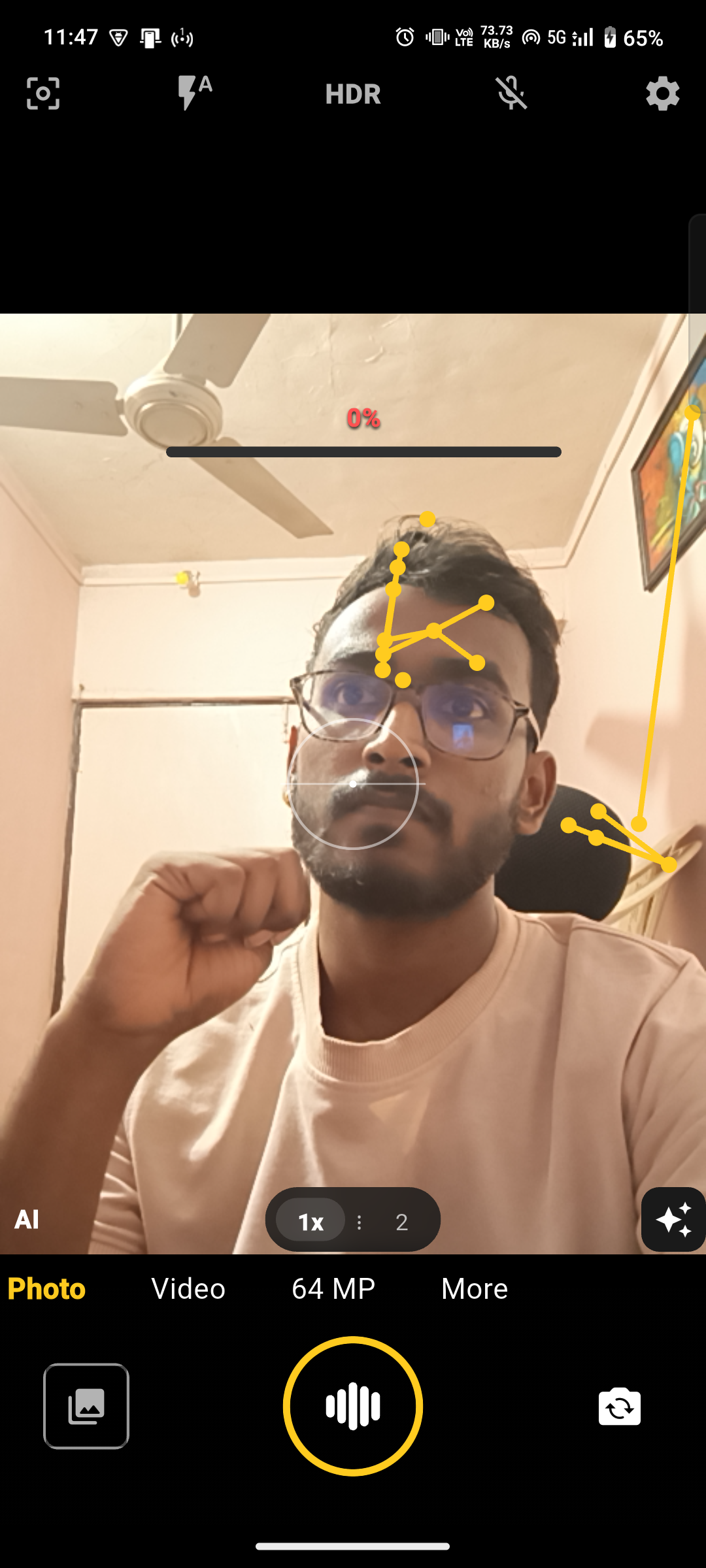
Left: descriptor memoised at 2 s cadence. Right: top-3 strip. EMA-smoothed — no jumps.
05 — Comparison
What the ghost
leaves out.
Built with Huawei's AI Pose Recommendation (Pura 90 series, April 2026) as the reference point. That feature draws a pose outline over you in the viewfinder. PosePal keeps the ghost and adds the measurement layer around it.
"Not documented" means we found no public statement either way — not that the capability is absent. Compiled from public reporting on Huawei's AI Pose Recommendation as of September 2026 (HarmonyOS 6.1, China release). We have not tested Huawei hardware, and availability varies by market and firmware.
Every PosePal threshold is tunable from one config file — score gate, hold time, burst, smoothing, weights.
06 — Engineering
On-device.
Isolated.
Measured.
No backend. No SDK phoning home. Two worker isolates. Pure-Dart math. 721 tests. Perfetto traces on triple-tap.
Trust
Tested on a real
phone, not a demo.
Run on a mid-range 5G Android handset through the full pipeline — live skeleton, comparator, auto-capture burst. No store gatekeeping, no account, no backend.
The first thing that made posing click on-device was feedback that says how to fix a pose, not just that it is wrong. Arrows for the adjustment, and a hold timer so you can stay in frame while it settles.
Note from the PosePal team — first-party device testing, not a customer review.
Being able to hand the phone to someone else with no setup was the deciding factor. Nothing to upload, no account to create — and the burst picker keeping the sharpest frame instead of the first one.
Note from the PosePal team — first-party device testing, not a customer review.
These are the numbers from the last local run, written here by hand — not a live CI feed. Production signing and a public release are still ahead.
07 — Get PosePal
Put a studio
in your pocket.
Free. Offline. No account. Build from source or grab the debug APK. Debug keystore today — production signing before store.